Informational Interviews
We’ve interviewed students and mentors as well as executives at Stride Learning who have confirmed a need and excitement surrounding a mobile app. Talking with founder and CEO, Brandon Slade, he confirmed the need for a mobile app and was very excited that a group of CU students are wanting to help them in their endeavors. He greatly stressed communication as the primary issue of concern and was clear that even if an app could cover this feature, it would be more than enough.
In addition, we went to TAM expert Aileen Pierce for advice on developing an app within this realm. Aileen said a lot of planning will need to go into this and it will be best to quickly create a prototype to show to Stride and gain their feedback to effectively plan how the app will work. Depending on group size and experience, sophisticated app development could take at least a couple of months… Aileen recommended implementing an existing service instead of developing your own. She has connected us with an app developer who has experience creating a communication app using the service PubNub. She recommended the following approach in terms of breaking up the work: have KiKi and Logan focus mostly on the prototyping and be one step ahead while Jordan and Brittany follow behind with developing the small sections that are already prototyped. Get feedback on the prototyped sections and then progress with developing those parts. She also had great advice on prioritization and setting clear guidelines: prioritize with high medium and low and focus on high for client expectations and so the designers know what to prototype/what is possible within the time frame of capstone. If the high priority parts get done then you can start working on the medium and low priority aspects. This will help manage expectations so no one is disappointed with the deliverable.
These initial interviews were extremely important for setting us up for success and starting us in the right direction. Between the 4 of us, we have plenty of outside expertise to hopefully help guide us through the semester. Utilizing these people as mentors for advice and feedback is going to be extremely important in the development of our app.
Prototyping
Prototype #1 – Paper Prototype
→ Intention: Think through the primary features of our app as well as the flow and necessary requirements.
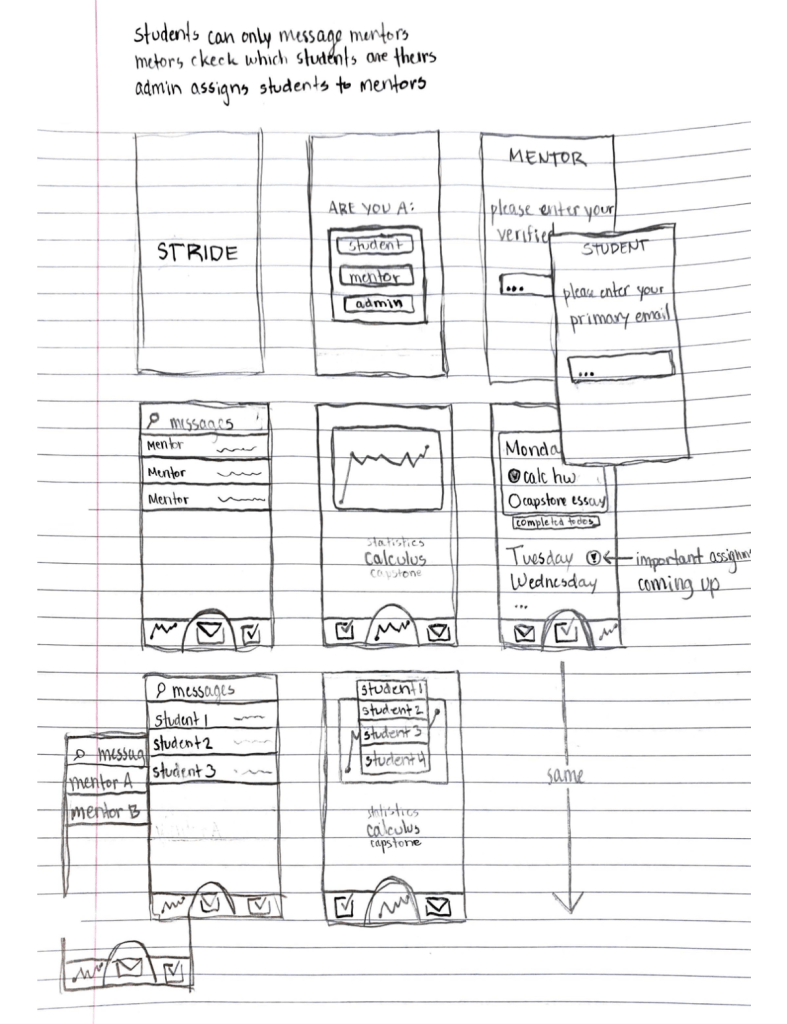
Before taking to any sort of technology or programs we sat down and had a group brainstorm regarding the main requirements, primary goals, and secondary goals of our app. By creating initial wireframes on paper, we were able to effectively communicate our ideas as a team in a rapid-fire manner. This form of prototyping also allowed for quick modifications as we tossed different ideas around.
Prototype #2 – Illustrator Mockups
→ Intention: Start elaborating on the design from layout to colors to overall look and feel.
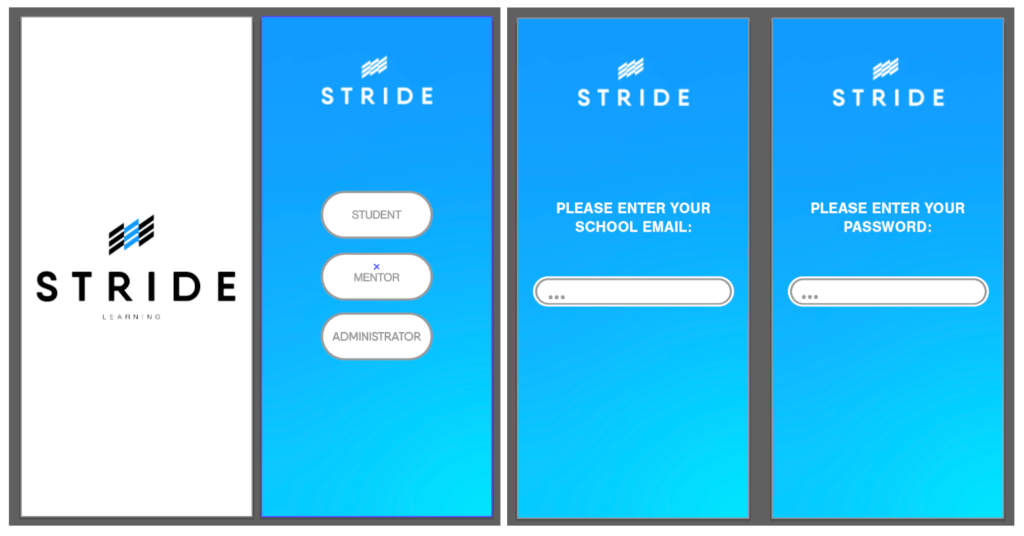
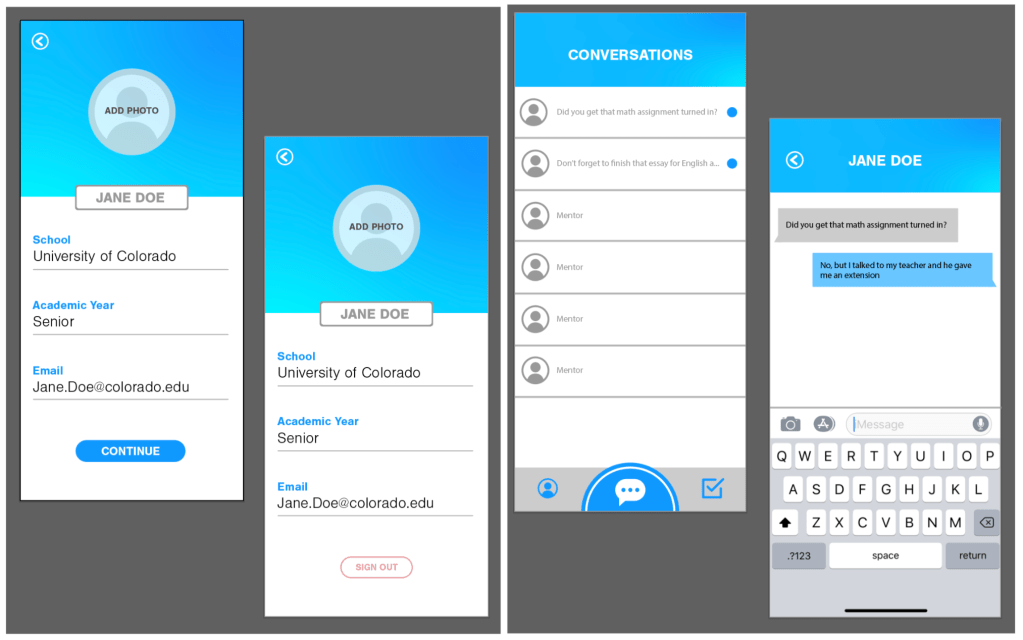
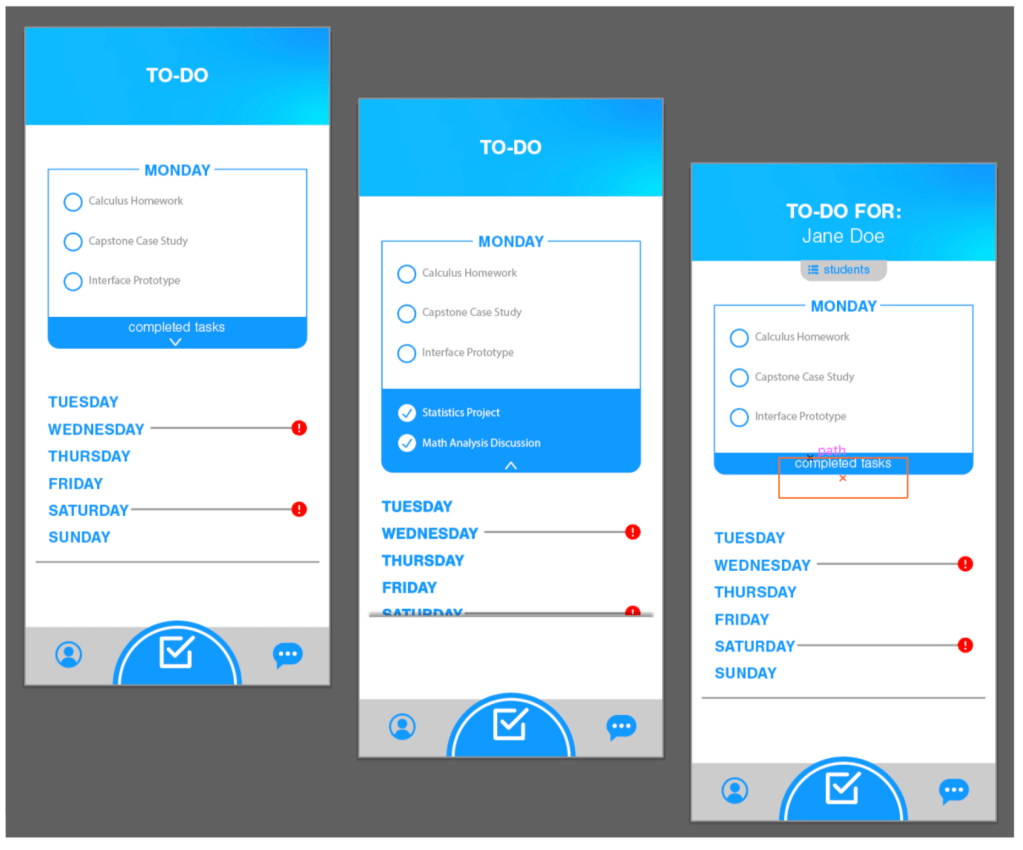
We began with Stride’s bold blue as a base, and designed around that in order to stay in line with the brand guidelines of their website and office. The app will have consistent use of Stride’s logo throughout all pages, as well as a soft blue gradient that is friendly and inviting. We will be using a lot of buttons as actions, which pairs nicely with the friendly design when rounded. Below is a hero shot as well as UI Mockups of all primary features within the app. There will be an initial setup that requires an email and login, but after that initial setup the designated homepage will be the chat based feature, as it is the overarching goal of the app as a whole.
Prototype #3 – Chat-Based Feature Research
→ Intention: Explore the requirements and potential complications of implementing a chat based feature within our app.
Based off of our interview with Stride, the primary feature we are looking to implement is a chat based function between students and mentors. There are several tutorials regarding the implementation of a chat based IOS app, including PubNub, Firebase and MessageKit, Stream, and Scaledrone. These 4 seem to be the main ones available but our research also led us to finding SendBird, Twilio, ChatSDK (uses Firebase) and ChatCamp. These other SDKs follow the Basic Roadmap outlined below. During this process, Google and Youtube tutorials are going to be our best friends. The following represents research on the requirements of building this out:
Basic Roadmap
- Install and integrate CocoaPods
- Many tutorials seem to recommend the usage of CocoaPods since it’s the easiest way to add third-party libraries to your project
- CocoaPods is a package manager, and it helps you to manage your libraries, download new versions, and integrate them with Xcode
- Set up a database
- Set up a message view controller
- Controls the list of message bubbles and text field input
- Connect database to message view
SMS vs IM Messaging
SMS (Text Messaging)
- Available with or without WiFi
- Sinch offers platform for these kinds of exchanges
- Sinch has a RESTful API that supports two-way (inbound/outbound) SMS communications between apps and consumers.
IM (Instant Messaging)
- “Socket communication”
- Relies on internet connection
- FB Messenger, WhatsApp, etc. all use IM form of messaging
- Allows for push notifications
- Downside of push notifications is that the app is required to prompt the user for permission to receive notifications. If the user somehow denies the app authorization once, the user will have to go through their iPhone’s settings to re-authorize push notifications
- Good step through tutorial to make app
- Use CocoaPods (which our developers have used before) to import Scaledrone and MessageKit
- The UI comes from MessageKit which is nice since its built in with Swift
- The VewController becomes a MessageViewController
- Uses delegates and functions for controlling the UI components of the MessageViewController
- Messages are sent and received as JSON dictionaries. This is nice because JSON is easily parsed and processed from third party libraries to Swift
- Create the dictionary parsing code for the JSON to breakdown the message info (sender, message, date, etc. whatever info you want to store and pull out)
- Finally connect to Scaledrone SDK
- Create an account and get Channel ID
- Creating instance of service will connect back to service
- You then enter a “room” which is a group of users that we can send messages to.
- Create functions for sending and receiving messages
- Hook it all back to the MessageViewController so that when messages are sent and received, the view updates to display these messages
- Now you can send a receive messages to yourself, will need to delve further for connecting to multiple devices
- Free membership gets you 20 concurrent connections with 100,000 Daily events
- This will be enough for testing and prototyping initially
- Next membership option is “Small” and is $9/ month which gets you 100 concurrent connections and 200,000 daily events
- Would probably be a good option once rolled out to Stride, very reasonable pricing
- The rest of the membership options (which seem maybe too big for what stride needs now) can be found here.
- We made a prototype using Scaledrone. The code can be found here.
- https://www.pubnub.com/blog/how-to-build-ios-mobile-group-chat-app-swift-5-pubnub/
- Sheila Doherty, one of our (potential) advisors, has direct experience with PubNub app integration
- Has a free plan which includes 1 million transactions of any kind and 1GB of message storage per calendar month with access to all major PubNub features
- A notification will be sent to upgrade to a paid plan once your limits are reached
- PubNub supports 1:1 messaging, group messaging, push notifications, user online/offline status
- Sign up for a PubNub account and create a new app
- Does not provide SDK for help with creating the UI (could use MessageKit)
- Use CocoaPods to install PubNub SDK
- Key features
- Publish/Subscribe (real-time messaging)
- Storage & Playback (message storage)
- Allows for retrieval of historic messages with unlimited storage timeframe
- Get Free 28 day trial
- After that it’s $499/month
- Supports very large scale messaging so maybe not appropriate for Stride since right now scale isn’t as large and it’s so expensive
- Use CocoaPods to install StreamChat SDK and other dependencies
- Instead of using MessageKit, provides its own SDK that helps with creating the UI
- View controller becomes a ChatViewController
- loads messages for a specified channel using the APIs and renders its content.
- Set up a new channel using the Scene delegate
- Can setup sending images and other attachments. Maybe not useful now as we want to focus on getting the basic chat functionality down but could be useful later on.
- Then you set up component for user to have messages with multiple different people
- Set up through the SceneDelegate and this goes through the ChannelViewController since there are different channels for the different conversations
- Now you can see the different conversations, their order updates automatically for recency
- Rest of tutorial goes into customizing the UI for different things you may want
- https://www.raywenderlich.com/5359-firebase-tutorial-real-time-chat
- Provides demo materials to build and work with
- Seems like a pretty thorough, step-by-step tutorial
- Firebase has a free plan, otherwise $25/month
- Real-time database service, well-suited for instant messaging
- Firebase offers push notification, file storage, hosting and a user authentication layer
- Use CocoaPods to install Firebase SDK and MessageKit
- Create Firebase account and create a new project
- Logging in
- Authenticate using the Firebase authentication service
- The FirebaseAuth framework will post the notifications that AppController is listening for, where AppController will then update the root view controller
- Firebase Data Structure
- Cloud Firestore is a NoSQL JSON data store
- Everything in the Cloud Firestore is a JSON object where each key has its own URL
- Chat Interface Setup
- MessageKit is a UICollectionViewController that has specialized UI components for chatting purposes. You can pull these components from MessageKit instead of making your own.
- Handles input from textfield, creation of message data, and the styling of the message bubbles
- Allows for the creation of multiple message threads
- Firebase Storage can store pictures so image sharing is a possibility
Below is a low-level chat prototype we created using Firebase and MessageKit. In this prototype, we were able to set up the Firebase SDK and MessageKit with CocoaPods, experiment with MessageKit to create a chat UI, and update our database in real-time when a message is sent.
 Stride Learning Mobile Application